
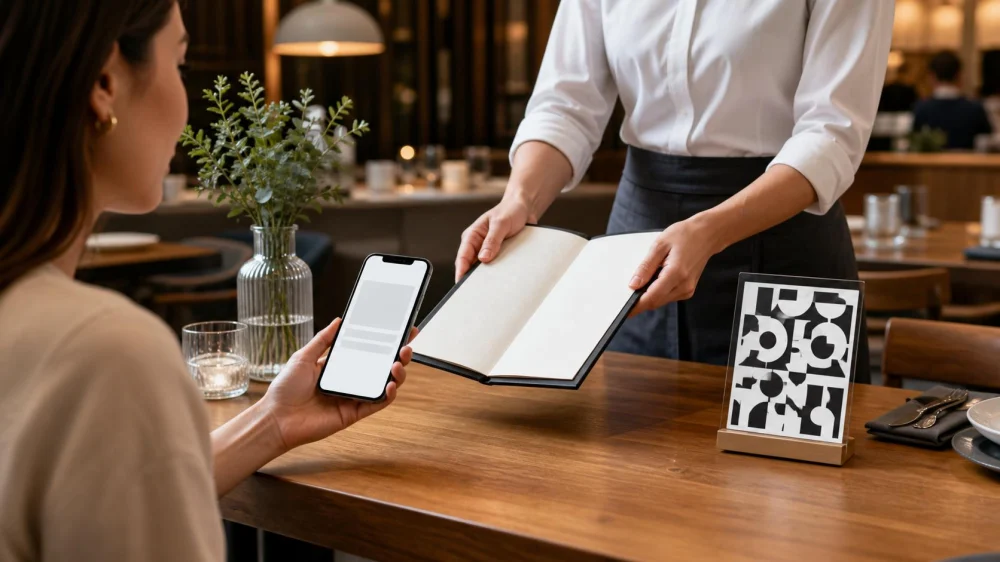
Restaurant QR Code Menu: Check the Link and Ask for Options
On this page
- Quick answer
- Inspect before scanning
- Preview and verify the destination
- Limit permissions and personal data
- Confirm menu version and prices
- Ask for an accessible alternative
- Verify dietary and allergen details with staff
- Separate menu browsing from payment
- Respond to a suspicious code or page
- What restaurants can do better
- Diner checklist
- Security and accessibility sources
- Conclusion and next steps
Quick answer
Before scanning a restaurant QR code, check that the label is not covering another sticker and ask staff whether it is the current code. Preview the web address and look for the restaurant's correctly spelled domain before opening it. A menu should not need unusual permissions, an app install, account credentials, or payment merely to display food. If the page is suspicious, unreadable, inaccessible, or your phone cannot use it, request a printed menu, staff explanation, or another accessible format.
A QR code hides a web address from direct view. Treat it like any other link rather than assuming a table sticker is trustworthy.
Inspect before scanning
Look closely for a sticker placed over the original code, peeling edges, mismatched colors, poor print quality, or an unusual location. Do not remove or damage it yourself.
Ask an employee whether the code belongs to the restaurant and whether it should open a menu, ordering platform, waitlist, loyalty program, or payment page.
Use the phone's built-in camera or a trusted scanner. Avoid downloading a separate scanning app just because a sign tells you to.
Preview and verify the destination
Most phones show a URL preview before opening. Read the domain carefully for misspellings, extra words, unusual endings, or a shortened link that hides the destination.
A legitimate restaurant may use a reputable menu or ordering provider, but staff should be able to name it. If uncertain, navigate to the restaurant's official site manually and open the menu there.
HTTPS indicates an encrypted connection, not that the business is genuine. The domain and context still need verification.
Limit permissions and personal data
A basic menu generally should not require contacts, precise location, microphone, camera access beyond scanning, device management, or software installation.
Do not enter an email password, bank login, Social Security number, or one-time security code to view food choices. Decline browser notification requests unless there is a clear reason.
Use current operating-system and browser updates. Close the page if it redirects repeatedly, launches a download, or shows an urgent security warning.
Confirm menu version and prices
Check the restaurant name, location, meal period, date, currency, and whether prices apply to dine-in, takeout, delivery, happy hour, or a special event.
Ask about unavailable dishes, market price, automatic service charges, minimum orders, and whether online prices differ from the register or printed menu.
Take a screenshot of a relevant price or description before ordering if the page updates dynamically, while respecting restaurant policies.
Ask for an accessible alternative
A phone-only menu can create barriers for diners with low vision, limited dexterity, cognitive disabilities, older devices, no mobile data, or a depleted battery.
Ask for a large-print menu, paper copy, screen-reader-friendly web page, staff reader, Braille option, or verbal explanation based on the diner's needs.
ADA.gov explains that accessible web content uses meaningful headings, keyboard navigation, and text alternatives for images. A scanned image of a printed menu may not be usable with a screen reader.
Verify dietary and allergen details with staff
Do not rely only on icons or filters for allergy decisions. Confirm ingredients, preparation, substitutions, shared equipment, and cross-contact procedures with knowledgeable staff.
Dynamic menus can change without every dietary label updating at the same time. Tell the server the specific allergen or dietary requirement before ordering.
If staff cannot answer safely, choose a different dish or restaurant rather than making assumptions from a symbol.
Separate menu browsing from payment
Some QR systems combine menu, ordering, tipping, and payment. Confirm table number, items, quantity, fees, tip, and total before submitting.
Use a payment method with appropriate protections and verify the merchant name. Do not send cryptocurrency, gift cards, wire transfers, or a person-to-person payment to an unfamiliar account.
Keep the confirmation and compare it with the final bill. Ask staff immediately about a duplicate charge or order sent to the wrong table.
Respond to a suspicious code or page
Stop interacting, close the page, and tell restaurant management where the code is located. Do not warn other diners by altering the sticker.
If you entered a password, change it from the official service and update any reused passwords. Enable multifactor authentication and review account activity.
If you entered payment information or paid a scammer, contact the card issuer or payment provider immediately and report fraud through the appropriate channel.
What restaurants can do better
Use tamper-evident displays, inspect codes each shift, keep the destination domain consistent, and train staff to identify the authorized vendor.
Offer a visible short URL and at least one non-digital menu option. Maintain accessible HTML instead of relying only on images or PDFs.
Label whether the code opens browsing, ordering, loyalty enrollment, or payment. Minimize data collection and publish current prices, fees, dietary disclaimers, and contact details.
Diner checklist
- Code display looks original and untampered
- Staff confirms the code and expected destination
- URL preview matches the restaurant or named provider
- No unusual permission, download, login, or payment request
- Location, meal period, prices, and fees are current
- Accessible alternative available when needed
- Allergens and substitutions confirmed with staff
- Order, tip, total, and merchant checked before payment
Security and accessibility sources
The Federal Trade Commission warns that QR codes can hide spoofed links or malware and recommends previewing the URL and checking for misspellings; see FTC QR code safety advice.
The U.S. Department of Justice explains headings, keyboard navigation, captions, and text alternatives in its ADA web accessibility guidance.
These sources support link verification and accessible alternatives; individual restaurant systems and legal obligations require case-specific evaluation.
Conclusion and next steps
A restaurant QR menu should make dining easier, not demand blind trust. Inspect the physical code, preview the domain, minimize permissions, and confirm menu details before ordering or paying. Ask for a paper or accessible option whenever the digital version does not work. If a code appears tampered with or a page asks for sensitive information, stop and alert the restaurant.


 Krazy Cajun Seafood & Hibachi-Phoenix4.0 (576 reviews)
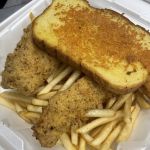 Southern Fried4.0 (193 reviews)
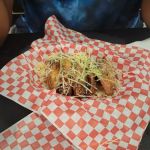 Midwest Wings XL4.0 (132 reviews)
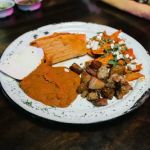 Dona licha mexican kitchen3.0 (368 reviews)
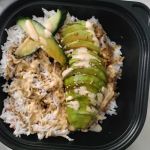 Yogi's Grill3.0 (485 reviews)
 Chaat House4.0 (30 reviews)
 Top 5 International Restaurants in Chicago You Should Explore
 Highly Rated Burger Spots Across America You Should Try
 Best Ramen in Chicago for an Authentic Japanese Experience
 Restaurant Coat Check Guide: Store Belongings Safely
 Popular Choices for Affordable Dinner Options
 A Guide to the Best Dim Sum Restaurants in New York City