
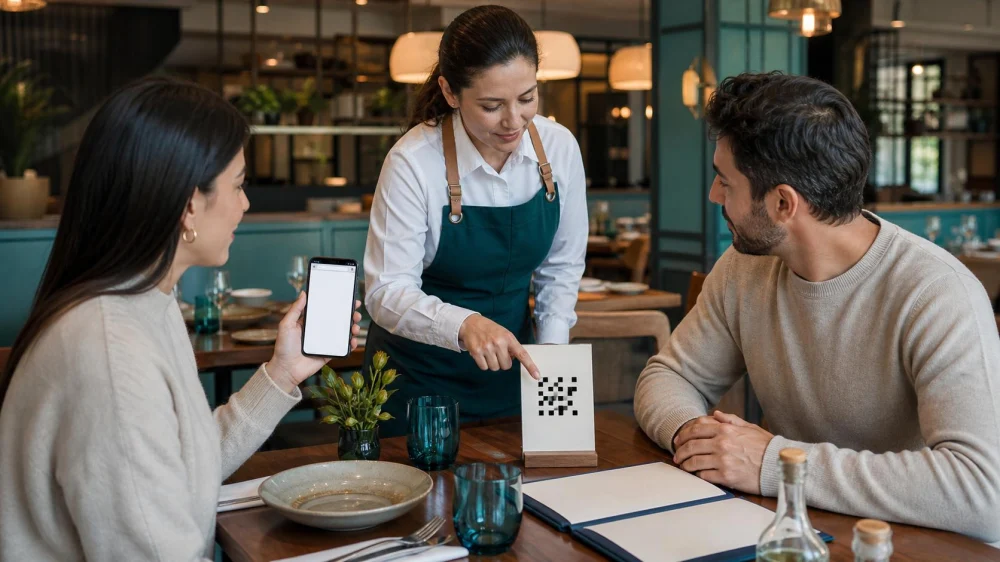
Restaurant QR Menu: Verify the Link, Price, and Privacy
A QR menu can show current dishes, photos, modifiers, and payment options, but a code is only a shortcut to a web address. Before scanning, confirm the code belongs to the restaurant, inspect the destination, avoid unnecessary app installs and permissions, and ask for an accessible alternative. Verify prices, fees, allergens, and order details with staff before submitting or paying.
Quick answer
Use the code printed on a permanent table card, menu, or sign that staff confirms, not a loose sticker layered over another code. Preview the web address and check the restaurant domain or known ordering provider. Decline requests for contacts, location, microphone, photos, or unrelated account access. Ask a server to confirm the dish, modifiers, total, and table before you submit.
Check the physical code
Look for peeling edges, mismatched print, a sticker covering a previous code, handwritten changes, or placement where anyone could swap it. Compare it with codes at the host stand or another table and ask staff when anything looks unusual.
Do not scan a code found in a parking lot, restroom, unsolicited message, or review photo and assume it is current. Restaurants can change vendors and menus, while old images remain online.

Inspect the destination
Use the phone’s built-in preview to read the destination before opening. Watch for misspelled domains, unrelated names, unusual strings, shortened links that hide the destination, browser security warnings, or prompts to download a configuration profile.
Close the page if it redirects repeatedly, displays pop-ups, asks for a password unrelated to ordering, or demands payment before showing the menu. Type the restaurant’s known website manually or request a physical menu.
Request an accessible option
A guest may not have a smartphone, battery, data connection, vision, dexterity, language support, or comfort with digital ordering. Ask for a printed menu, large-print copy, staff explanation, or accessible device without apology.
Use screen magnification or a screen reader only if the page supports it reliably. Do not hand an unlocked phone to a stranger when staff can read options aloud or provide another path. Make sure everyone at the table can participate in decisions.
Confirm menu details
Check the location, service period, date, and whether the page is dine-in, takeout, delivery, happy hour, brunch, or a special event. An item shown online may not be offered in the current dining room or may have a different price.
Read portion, sides, preparation, modifiers, market price, minimum order, and automatic charges. Ask staff about sold-out items and substitutions rather than relying on a cached page.
Handle allergies with staff
Never rely only on icons, filters, or an ingredient list for a food allergy. Recipes, sauces, garnishes, shared fryers, utensils, and substitutions can create exposure. Speak directly with trained staff and state the allergen and seriousness.
Ask whether the kitchen can accommodate the order and what changes are needed. Entering “allergy” in a notes field does not guarantee someone will see it before preparation. Keep emergency medication available according to the medical plan.
Review the order
Confirm table number, guest name, item, quantity, doneness, sides, modifiers, allergy communication, course timing, and special charges. Remove accidental duplicate items and check whether each person is ordering separately or one phone controls the table.
Do not submit while the group is still discussing. Take a screenshot or save the confirmation when privacy policy allows, then tell staff promptly about a mistake rather than placing a second order.
Pay through a trusted path
Verify the restaurant or established payment provider, total, tax, service charge, tip field, and payment method. A digital tip prompt may calculate on a total that already includes fees. Ask staff how mandatory charges work before adding gratuity.
Use a payment method with transaction alerts and dispute options. Avoid entering card details on a page with browser warnings or sending them through chat. Never share a one-time security code with restaurant staff or a caller.
Limit data sharing
Use guest checkout when practical. Provide only information needed to complete the order and receipt. Decline marketing enrollment, precise location, contacts, tracking, or notification permissions unless you knowingly want them.
Do not save payment details on a shared device. Sign out, close the tab, and delete downloaded menus or passes that contain personal information. For public Wi-Fi, prefer a trusted mobile connection when entering payment data.
Frequently asked questions
Must I use a QR menu?
Ask the restaurant for a printed, verbal, or otherwise accessible alternative.
Is every QR code dangerous?
No, but verify the physical code and destination because codes can be replaced.
Can an allergy filter guarantee safety?
No. Speak with staff about recipes, substitutions, and cross-contact.
Should I install an app?
Usually a web menu is enough. Ask why an app is required and review permissions before installing.
Next steps
Confirm the code with staff, preview the destination, request an accessible menu when needed, verify item and allergy details verbally, review the complete order and fees, and pay only through a trusted page with minimal data sharing.
After the meal, compare the digital confirmation with the itemized receipt before leaving. If the page charged the wrong table, duplicated an item, or enrolled you in an unwanted service, ask the manager to document the correction and keep the receipt and transaction reference until the payment settles.



 Smashburger4.0 (1052 reviews)
 Richardson's Restaurant4.0 (2753 reviews)
 Flower Child4.0 (457 reviews)
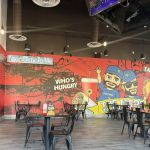 The Taco Spot - Tempe4.0 (1198 reviews)
 Taquisimas0.0 (0 reviews)
 Busby’s Soul Bowls3.0 (146 reviews)
 How to Dine at a Restaurant When You Have Luggage
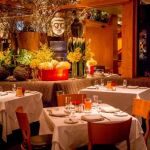 The Best Romantic Dinners in San Francisco for an Unforgettable Night | Top Dining Spots
 Restaurant Allergy Questions: Ask Before You Order
 A Guide to the Best Craft Beer Pubs in San Diego
 25 Restaurant Desserts That Are Perfect for Sharing
 Why Brunch is More Than Just a Meal: Best Brunch Spots in Chicago